

You turned off location on your camera. I’ve written before that this is a great step towards protecting your privacy, but in some ways it creates a false sense of security, because you need to do more. That’s why it can be dangerous.
The camera is still writing its own serial number into every photo, and it is the same number in every photo that camera has ever taken.
Plenty of cameras add more. The serial number of the lens, the owner’s name you typed into the menu years ago, and a unique ID for the image itself. None of that is location, and it can still point back to you.
Cameras have written these fields for years, and I don’t think most people know they are there. So this one is about what they are and how to get rid of them.
What your camera writes besides GPS
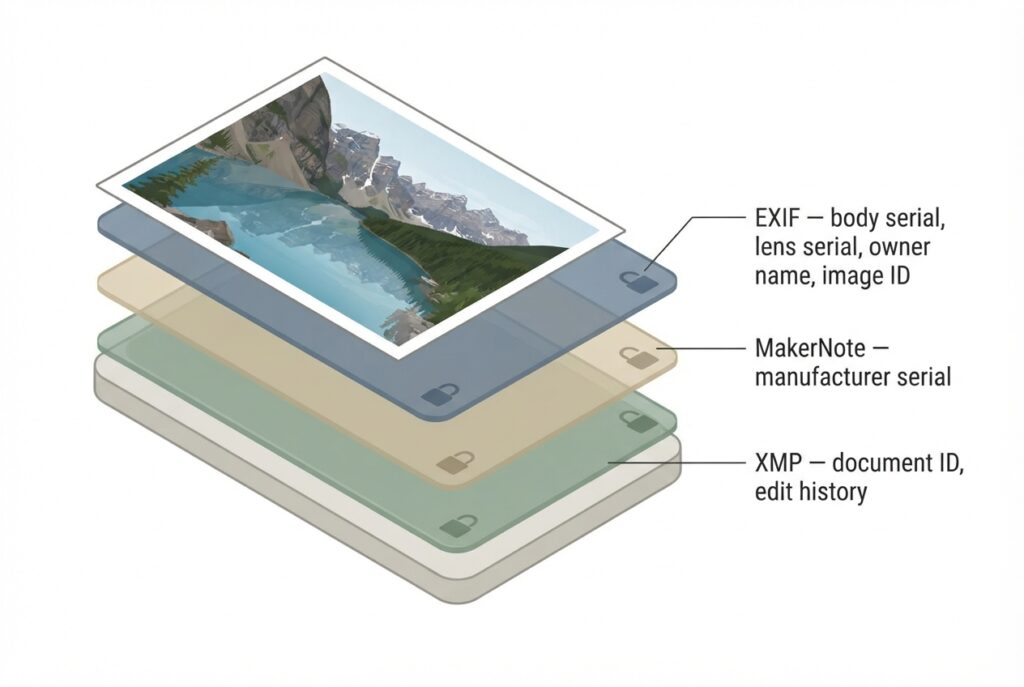
The EXIF standard, the published format almost every camera uses for photo metadata, has dedicated fields for this. Since Exif 2.3 there are standard fields for the camera owner’s name, the camera body’s serial number and the lens serial number. There is also an “image unique ID” field meant to give each photo its own identifier.
Then there is the MakerNote. That’s the manufacturer’s own private block inside the file, and I wrote about it in detail in MakerNote forensics: what camera manufacturers hide inside every photo. The short point for this article is that many brands store the serial number in there as well, sometimes alongside an owner name or an internal serial. Stripping the standard EXIF fields doesn’t always touch it.
Editing software adds its own. Photoshop and Lightroom write XMP metadata with document and instance IDs, and often an edit history listing every save. Windows writes an “Author” field into a JPEG if you type a name into it under Properties, Details. Paint and Photos don’t add your account name on their own, so this one only appears if someone put it there.
Why a serial number is worse than a location
A GPS tag tells someone where one photo was taken. I covered that risk in why GPS in photos is more dangerous than most people think.
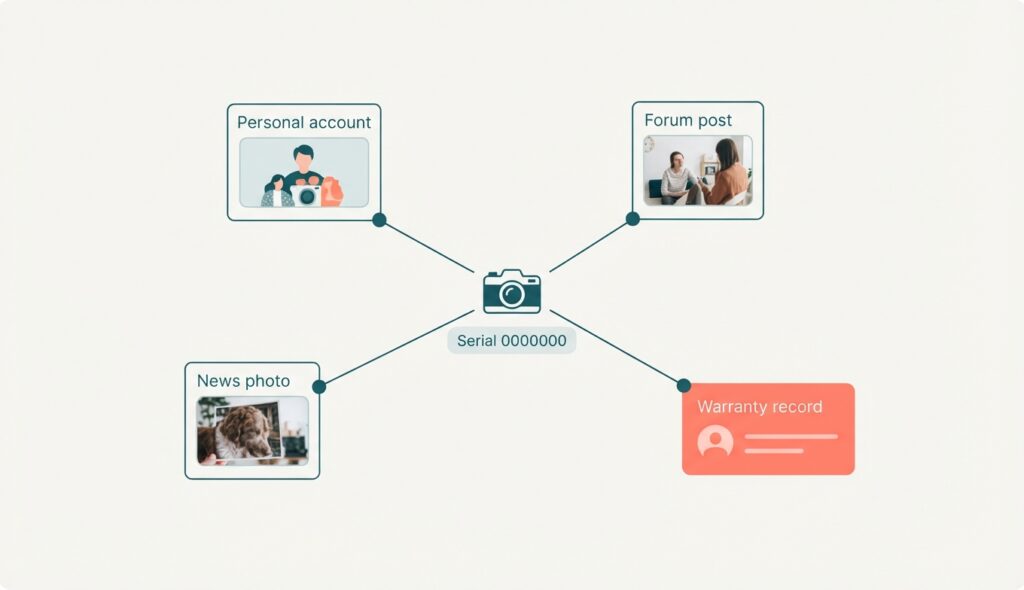
A serial number works differently. It is the same in every photo the camera takes, for as long as you own it. So it links photos to each other. The holiday shot on your personal account, the anonymous post on a forum, the photo you sold online, the picture in a news story. If all of them kept their metadata, they all carry the same number.
It only takes one of those photos to be tied to your name. That might be a photo you posted under your real name, a listing when you sold the camera, or a warranty registration with the manufacturer.
Anything identifiable in your photos can be harvested and linked back to you, even if you later stop sharing it. Some details are made to identify one device, and the serial number is one of them. If an earlier photo leaked your name and a later one doesn’t, the serial still ties them together, and someone could infer you own both. That may not be true, but it still paints a plausible story.
AI analysis of photos has also got so sophisticated that it inspects the photo itself, the surroundings and the people in it, and adds all of that to what the metadata has already built up about you.
People already use this. Stolen Camera Finder has run for years on exactly this idea: it reads the serial from a photo’s EXIF and searches for other photos online taken with the same camera, so owners can find a stolen one. A lot of big sites strip metadata on upload now, so there is less out there to match than there used to be, but plenty of places still keep it. If a stranger can use it to find a stolen camera, anyone can use the same trick to find you.
What the snapWONDERS report shows
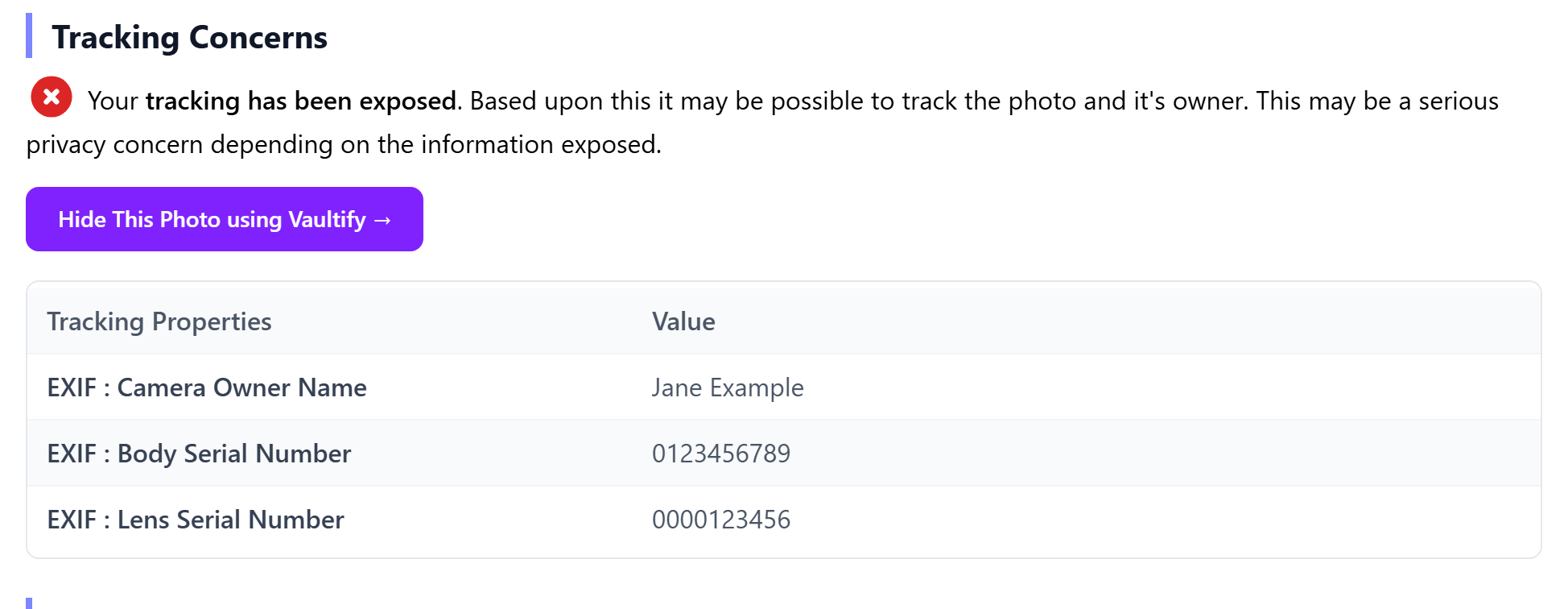
When you run a photo through snapWONDERS, the privacy section has a row that asks “Contains tracking?”. It lights up when the file carries any field that identifies a specific device, person or file: body and lens serial numbers, owner names, unique image IDs, serials decoded from inside the MakerNote, and the document IDs and edit history that editing software leaves behind. The details section then lists each one, so you can see exactly which field and which value.
This is one of the more certain rows on the report. The field is either there or it isn’t.
Artist and copyright details show up in their own rows. Some photographers put those in on purpose, and that’s fine. The tracking row is about identifiers people usually don’t know they are sharing.
Further down, in the origin section, there is a second check that uses the serial. If a photo carries both a manufacturer and a serial number, the report checks whether the serial looks like the format that manufacturer actually uses. A serial that doesn’t fit gets a warning. That can happen when metadata was edited by hand or copied in from a different camera. I’d treat it as a clue and nothing more though. Manufacturers don’t publish full rules for their serial formats, so a genuine serial in a format we haven’t seen yet can also trip it. It’s a reason to look harder at the rest of the report, not a finding on its own.
The same tracking check runs on video too, since phone and camera video files have their own metadata blocks. Phone videos tend to carry fewer of these fields than video from a dedicated camera, so don’t be surprised if one comes back quieter.
Which devices tend to write these
Dedicated cameras are the main source. Interchangeable-lens cameras from the big brands commonly write a body serial, and often a lens serial when the lens reports one. Many of them also have an owner name or copyright setting in the menu. If you set that once when you bought the camera, it has probably been in every photo since.
Phones are generally quieter about serial numbers. They can still write a unique image ID, which is different: it belongs to one photo, not the device, so it ties copies of that photo together rather than everything you’ve taken. Anything you edit in desktop software can also pick up document IDs and edit history on the way out.
How to find metadata in your photos
The easiest way is to run a photo through snapWONDERS forensic analysis and look at the tracking, authoring and copyright rows. No account needed. Use the original file straight off the camera or phone, since that shows you what you are starting with.
On Windows you can right-click a JPEG, choose Properties, then Details. On a Mac, open it in Preview and use the Inspector. Both show some of these fields. Neither shows everything, and neither decodes the MakerNote, which is where a lot of serials live.
How to remove metadata from an image
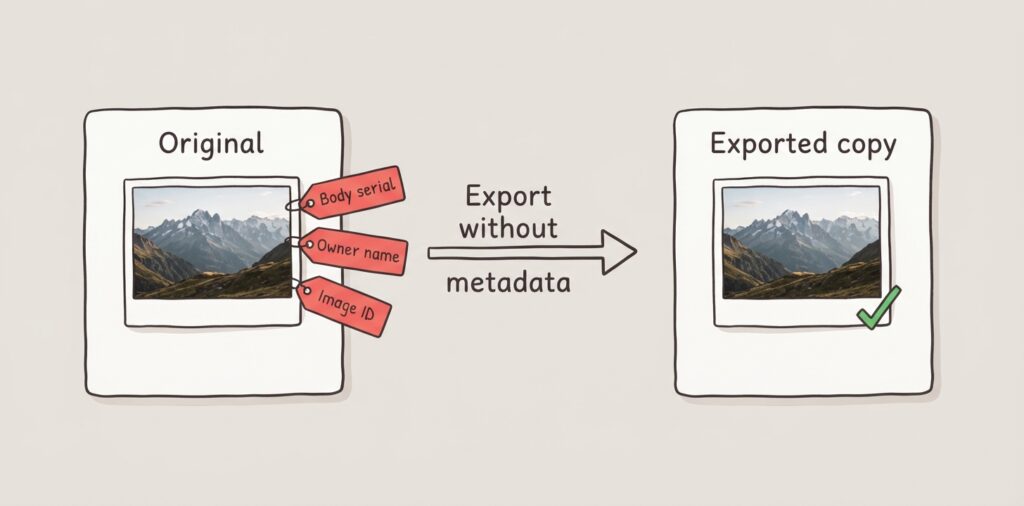
Turning off location doesn’t remove any of this. You have to strip it when you export or share.
A few options that work:
- Export with metadata removed. Lightroom’s export dialog has a metadata setting. “Copyright Only” is meant to keep your copyright line and drop the rest.
- Windows’ built-in option. In Properties, Details, there is a “Remove Properties and Personal Information” link that can make a copy with all possible properties removed.
- Clear the owner name in the camera menu. It won’t fix old photos, but it stops the camera adding your name to new ones. The serial itself can’t be switched off on most cameras.
- Take a screenshot as a last resort. It drops the original metadata, and the image quality with it.
Whatever you use, check the result. Run the exported copy back through the analyse page and make sure the tracking row comes back clean. I’ve seen tools remove the obvious fields and leave the MakerNote sitting there, and that’s exactly where a serial tends to hide.
Removing the serial isn’t the whole story, though. Your photos also carry a fingerprint: shared details like the firmware version, the colour profile and the time zone. None of them is unique, but together they can still point to one device. I wrote about that in Tracking vs Fingerprinting: Two Ways Your Photos Can Point Back to You.
It’s worth five minutes to check your own. Run one of your camera’s photos through snapWONDERS and see what comes back. I’d be interested to hear what you find.
Kenneth Springer is the founder of snapWONDERS, a digital forensic analysis platform for images and video, built and run in Victoria, Australia. The tracking row and serial format check described here run automatically on every photo and video analysed. snapWONDERS forensic analysis — no account required.