

Tracking and fingerprinting are two very different things, but they are connected, and both matter if you care about your privacy.
Tracking is having a unique identifier that ties a photo or video to you or to your camera. Serial numbers, unique IDs, an owner name. I’ll write about serial numbers in more detail soon.
Fingerprinting asks a different question. It looks at the profile of the camera and the apps that touched the file, things like the language, the time zone, the image dimensions and the firmware, and tries to match the file to a device from those.
Tracking: one value is enough
A tracking identifier is unique. A camera body serial belongs to one camera. A unique image ID belongs to one photo. If two files carry the same serial number, they came from the same camera. You don’t need anything else.
That’s what makes it easy to understand, and also easy to fix. Remove the field and the link is gone.
Fingerprinting: lots of small things that add up
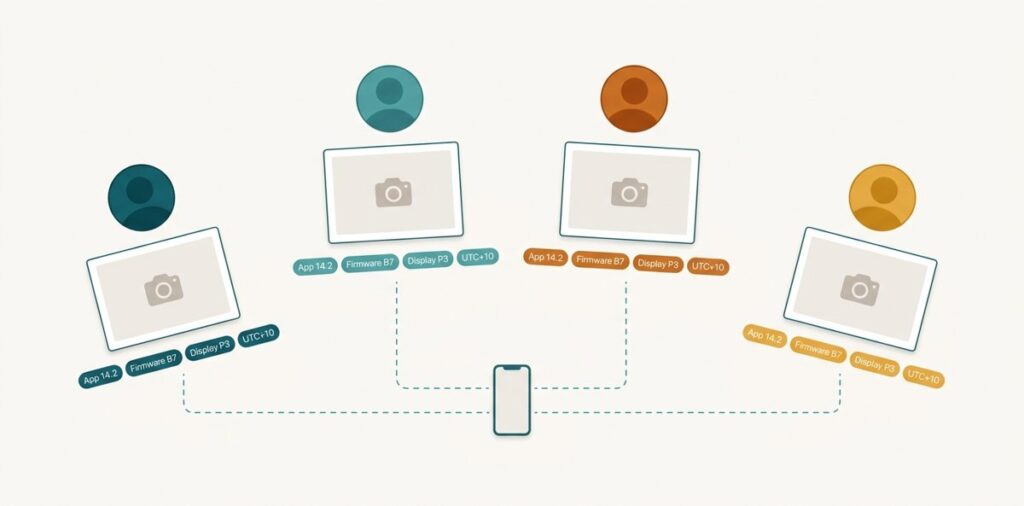
None of the details in a fingerprint is unique. Millions of phones run the same firmware. Millions of photos carry the same colour profile. Plenty of people have their phone set to English and the same time zone as you.
On their own, none of these says much. Together they narrow it down quickly. A particular phone model, on a particular firmware build, with a particular camera app version, writing at a particular resolution, in a particular time zone. Each detail cuts the crowd down a bit more.
If you’ve heard of browser fingerprinting, it’s the same idea. A website doesn’t need a cookie to recognise you if your browser, screen size, fonts and settings make a combination few other people have.
Where this actually matters
Here’s the scenario I think about most. You post photos and videos from the same phone, through the same apps, maybe on different accounts. You’ve turned off location. The serial numbers might even be gone. But every file still carries the same pattern of shared details.
That pattern is enough for a platform, or anyone collecting your posts, to suspect they came from the same person. The platform sees your upload before it does anything to it.
And not everything gets stripped when you share. Photos sent as files, through cloud links, by email or on forums often keep their metadata completely.
What one of my own photos gives away
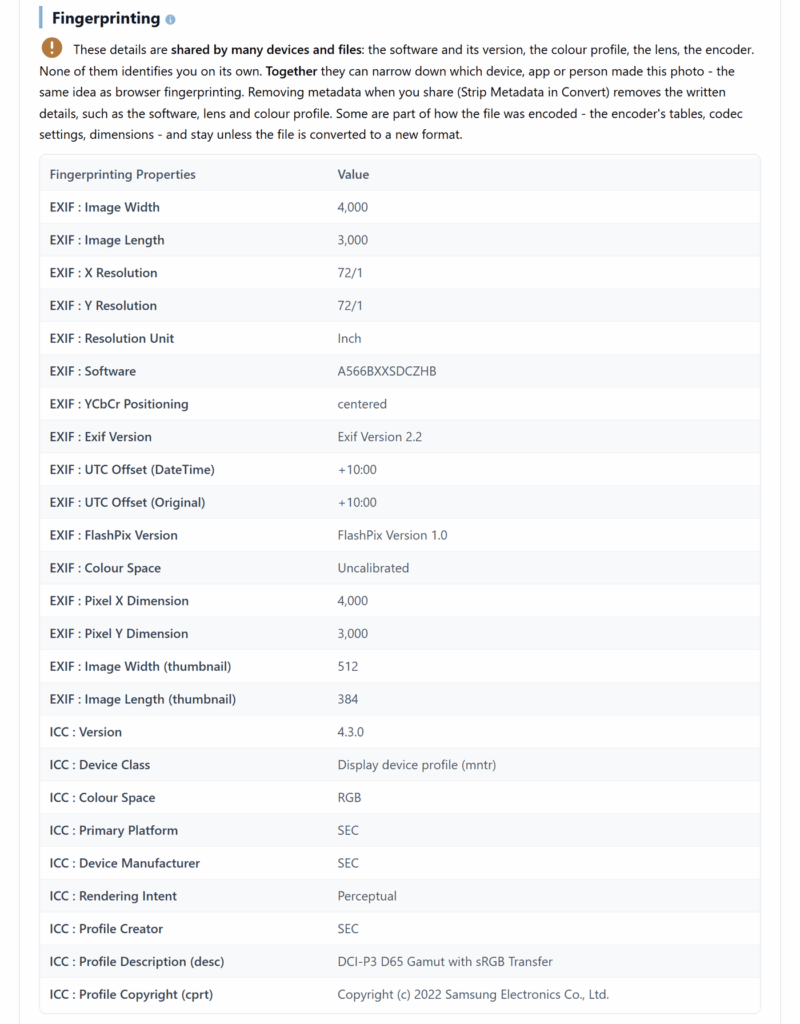
Here’s a real one. I took this on a Samsung Galaxy A56, a library forecourt on a spring morning. These are the fingerprint details our report listed:
- the firmware build,
A566BXXSDCZHB - the time zone,
+10:00, written twice - Samsung’s colour profile, “DCI-P3 D65 Gamut with sRGB Transfer”, built in 2022
- the image size, 4000 × 3000, and the size of the thumbnail tucked inside it
- a handful of settings Samsung’s software writes its own way: EXIF version, colour space, resolution
Twenty-five details in all. Not one of them is a serial number, and not one of them names me. But together they say: this phone model, on this exact software release, set to this time zone. Most photos I take on that phone until its next update will carry much the same set.
What stripping the metadata actually removed
So I tested it. I ran the same photo through Strip Metadata in snapWONDERS Convert and analysed it again.
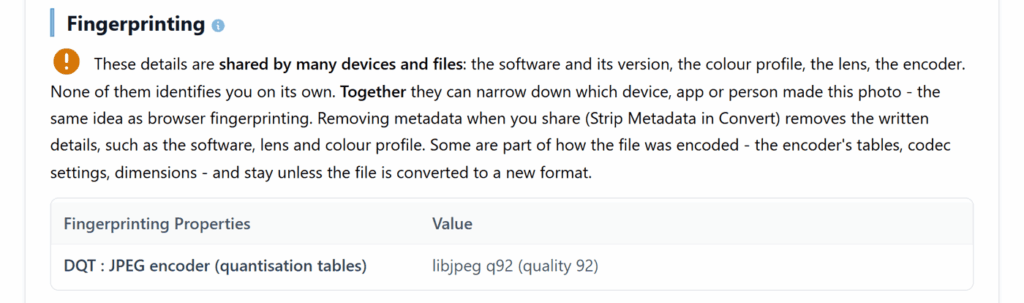
Twenty-five details went down to one. The capture times, the make and model, and the records Samsung adds after the image, which hold the mobile network’s country code, were all gone.
The one detail left was the JPEG encoder. That’s the part that surprised me. A JPEG carries the compression tables its encoder used, and those aren’t metadata, so a tool that only deletes metadata leaves the camera’s own tables in place. Convert re-encodes the photo, so here they were replaced with a standard setting that a huge number of other files share.
The image size didn’t change either. Still 4000 × 3000. Resizing is the only thing that changes that.
Video is the same idea with more of it. A video carries its codec profile, frame rate and audio settings, and those belong to how it was encoded, not to its metadata.
What you can do about it
- Strip metadata before you share. It removes the tracking identifiers and almost all of the fingerprint details at once.
- Use a tool that re-encodes, not just one that deletes fields. Deleting metadata leaves the camera’s own compression tables behind. Re-encoding replaces them.
- Check before and after. Run the file through an analyser and look at what’s left, rather than assuming.
We added a Fingerprinting section to snapWONDERS forensic analysis this month, separate from Tracking, so you can see both at once. Tracking is still the bigger risk, because one value is enough. But fingerprinting is real, and it’s the one most people don’t know about.
I’d be interested to hear what turns up when you check one of your own.
Kenneth Springer is the founder of snapWONDERS, a digital forensic analysis platform for images and video, built and run in Victoria, Australia. The Tracking and Fingerprinting checks described here run automatically on every photo and video analysed. snapWONDERS forensic analysis — no account required.